 By Denys Medvediev
Guide
Audio to text converter, explained
Free web tools, offline desktop apps, and bring-your-own-key cloud all turn sound into text. The choice that matters is where your audio gets processed.
Last updated: June 2026
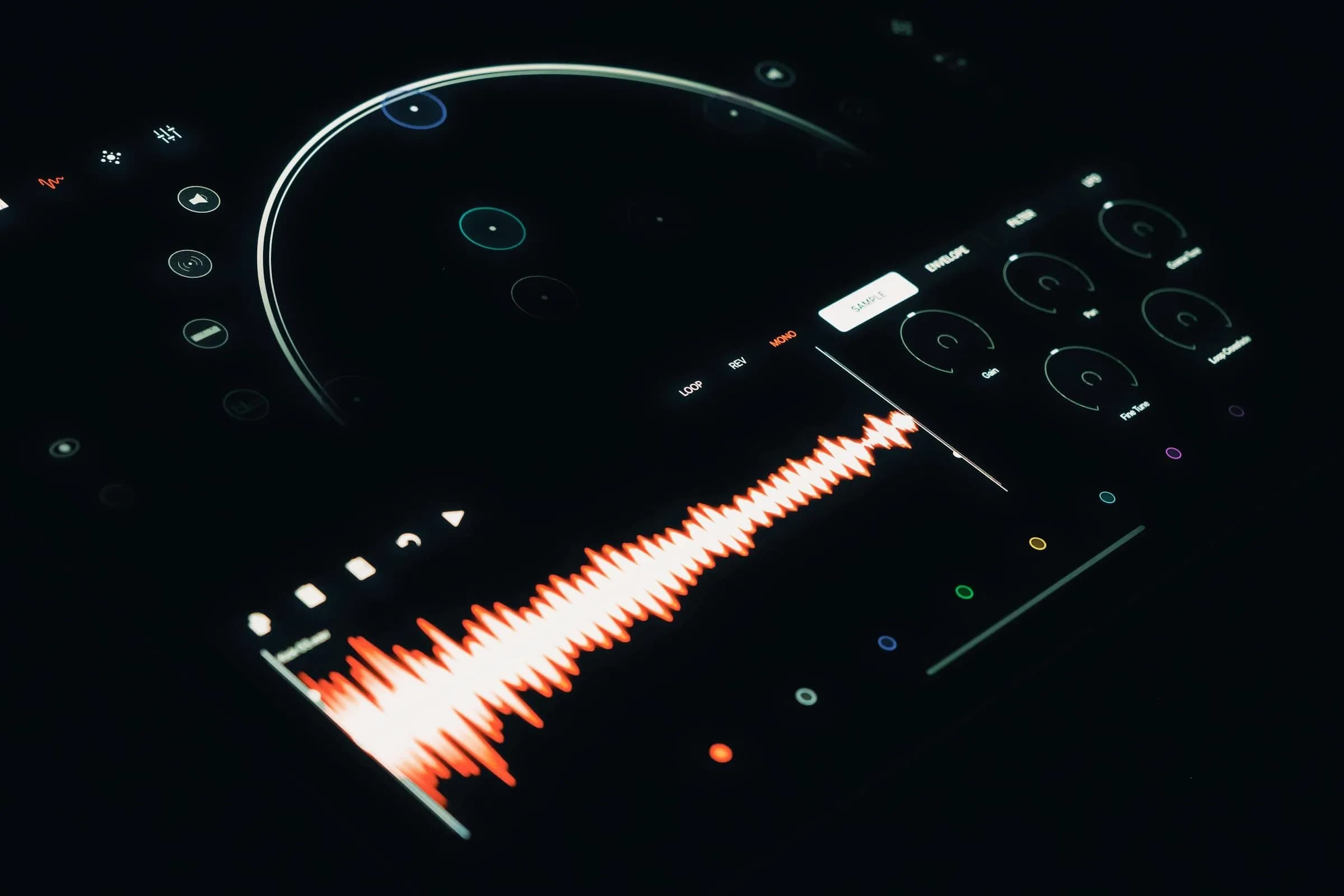
An audio to text converter turns a recording or live speech into editable, searchable text using a speech-to-text model. The choice that matters is where the audio gets processed: free web tools upload files to a server, while a desktop app like Whisper can transcribe entirely on your own computer, offline, and paste the result wherever your cursor sits.
Most free audio to text tools cap you at the first 10 to 30 minutes of transcription, then ask for a card. That part is fair. Servers cost money. The part nobody says out loud is that your audio had to travel to those servers first. A doctor's voice memo, a board meeting recording, a custody-hearing prep file: all uploaded to a vendor you've never met.
I have an opinion about that, and I'll get to it.
An audio to text converter does one job: it listens to sound and writes down the words. The interesting differences are how it listens (a model), where it listens (your machine or a server), and what it does with the text afterward (drop it in a file, or paste it where you're already typing). The three top-ranked free converters for this search are all the upload-a-file-and-wait kind. Whisper by Remskill is a different animal. It is dictation-first, which means you press a hotkey, speak, and text appears at the cursor in any app.
This guide explains how converters work, walks the three-step path for a recorded file, and tells you when a web converter is the right call and when it isn't. After a year of reading our support email, I can tell you most of it comes from people who picked a cloud tool for audio that should never have left their laptop.
An audio to text converter turns recordings into words you can edit
Under the hood, every converter runs the same thing: a speech recognition model. It takes the waveform of your audio and predicts the words, one chunk at a time. The model is where accuracy lives. The big open model behind a lot of these tools is OpenAI's Whisper, which supports 99 languages on its multilingual variants. The same OpenAI Speech-to-Text API exposes whisper-1 plus the newer gpt-4o-transcribe and gpt-4o-mini-transcribe models.
The output is plain, editable text. You can fix a name, search for a phrase, drop it into an email. That's the whole point. Sound is hard to skim, text is easy. Whisper produces the same editable text, but instead of handing you a download, it can paste straight into whatever app you're in. The app embedded above is the real desktop frontend, not a mockup.
Which model you pick is the accuracy decision, and the open Whisper model and Google Cloud Speech-to-Text land in different places; our Whisper vs Google Speech-to-Text comparison puts the two engines side by side on accuracy, language coverage, and where your audio goes.
How to convert an audio file to text in three steps
For a recorded file, the path is short. The free web converters spell it out as upload, click, download.
Pick where it runs. Cloud converters need you to upload the file to their server. Whisper runs the transcription on your own machine in local mode, so the file never leaves your computer.
Choose a model for your language. English-only files are fastest on a smaller model. Multilingual or mixed-language audio needs a multilingual model that covers 99 languages.
Get the text and edit it. The transcript comes back as plain text. Fix the typos a model always makes on proper nouns, and you're done.
One catch worth knowing: cloud APIs have size ceilings. The OpenAI transcription endpoint caps uploads at 25 MB per request. A long meeting recording in WAV blows past that fast. Local processing has no such limit beyond your own disk and patience.
Recorded files vs live dictation: which one do you need?
Here's the question most converter pages skip. Are you transcribing a file that already exists, or are you trying to write something new with your voice?
If you have a recording (an interview, a lecture, a podcast), a file converter is the right tool. Upload it, get the transcript, move on. The three top free tools handle this, with daily minute caps on the free tier.
If you're drafting a new email, note, or document, you don't want a file at all. You want the words to appear as you speak. That's dictation, and it's a different mechanism. With Whisper you hold a hotkey, talk, and release. On Windows the default is Ctrl+Space, and on macOS it's a Command+Option push-to-talk chord (hold both, release either key to stop). The transcribed text pastes at your cursor in any application. No upload, no download, no tab-switching. The overlay above is what you see while it's listening.
Most people searching for an audio to text converter want the first thing and discover they also wanted the second. You record fewer things than you write. I spent two weeks last year hunting for a better file converter when what I actually needed was to stop typing replies one finger at a time during my daughter's swim practice.
Local vs cloud: where your audio gets processed (and why it matters)
The fork that matters comes here, and it's the one the free tools are quietest about. A web converter processes your audio on its servers. AudioConvert.ai says files are deleted within 24 hours. HappyScribe and NoteGPT also upload to the cloud. That's standard, and for a public podcast it's fine.
Now the opinion I promised. Cloud-only audio conversion is a privacy disaster waiting to be transcribed. A team I worked with once had a contractor build an internal dictation prototype that called a cloud AI for every utterance. The manager opened the cost dashboard at the end of the quarter and found a five-figure bill, most of it from transcribing standup recordings four times over because the retry logic was too aggressive. The CFO's response was short: or we could not pay to upload meetings that already have notes. The money was the small problem. The bigger one was that quarters of internal calls now lived on someone else's servers.
Whisper's local mode answers that. In local mode all audio is processed on your computer and nothing leaves the device; after a one-time model download (anywhere from about 140 MB to 3 GB depending on the model) it works fully offline. Two engines run on-device: the Whisper models, and NVIDIA's Parakeet, which is 5 to 10 times faster than Whisper on CPU but covers English plus 24 European languages only, with no translate-to-English. If you prefer the cloud, Whisper has a bring-your-own-key OpenAI mode using gpt-4o-mini-transcribe or gpt-4o-transcribe (the same models the API exposes), billed by OpenAI directly, no markup from us. The point is you choose. The free web tools choose for you, and the answer is always their server. For more on staying off the cloud entirely, see our guide to offline speech to text.
Picking accuracy: which model handles your accent and language
Accuracy is mostly a model question, and the model is a language question. The free converters advertise big numbers. AudioConvert.ai claims up to 99% accuracy on clear audio, HappyScribe says up to 96%. Those are vendor marketing claims with no published method, so treat them as the brochure, not the benchmark.
What moves accuracy is matching the model to your audio. Whisper ships 8 local models split into English-only and multilingual. The English-only builds (Base at ~140 MB up to Medium at ~1.5 GB) lock the language selector to English and do that one job well. The multilingual builds (Small, Medium, Large v3 at ~3 GB, and a Large v3 Turbo) cover 99 languages with auto-detect. Mixed Ukrainian-and-English in one sentence? That needs a multilingual model. A clean English voice memo? The English Base model is faster and lighter.
The boring truth that no model page admits: a cheap clip-on microphone does more for accuracy than any model upgrade. Garbage audio in, garbage text out. No amount of AI fixes a recording made next to a running dishwasher. I spent a weekend tuning model settings to clean up my own muddy audio before I realized the problem was the laptop mic six inches from a fan. I have a master's degree. The settings panel above is where you pick the model and language.
When to skip a web converter (and use something else)

A web converter is the better pick sometimes, and I'd sooner tell you than have you fight the wrong tool. If you have one short recording (a five-minute interview clip, a single voice memo) and you don't care that it touches a server, a free converter like HappyScribe gets you the first 10 minutes free with no card. Open the page, upload, done. Installing a desktop app for that is overkill.
Skip the web converter when one of three things is true: the audio is sensitive (medical, legal, financial), the file is large enough to hit a 25 MB cloud cap, or you're writing something new rather than transcribing something old. The first two cases want local processing. The third wants dictation, not a converter at all. For meeting-style transcription with multiple speakers and summaries, a dedicated tool in that category fits better than either — that's a different job, covered in our transcription software roundup.
What it costs
Whisper is free for everyone for the entire local pipeline (both transcription engines, AI text cleanup, history, and the custom hotkey) with no payment method needed to sign up. The cloud bring-your-own-key surface is the paid Pro tier, and OpenAI bills you directly for the actual minutes you transcribe. The free web converters in this search run on a freemium minute cap: HappyScribe gives 10 free minutes, AudioConvert.ai gives 30 minutes a day. Whisper ships on Windows and macOS on Apple Silicon today. For the exact plan numbers, the pricing page has them in writing.
The free converters are good at the thing they do — drop in a file, wait, copy the text out. Use one for the podcast clip you don't mind sharing. But the recordings that matter most are usually the ones you'd least like to upload, and that's the moment a converter that runs on your own laptop stops being a nice-to-have.
Try a recording that never leaves your machine
My younger daughter dictated a 90-word email to her grandmother last Saturday and asked me where the words went. Nowhere, I told her. They stayed right here. That answer is the whole reason I built this.
Free for the entire local pipeline. No payment method needed to sign up.



