 By Denys Medvediev
Guide
Legal transcription software, honestly
"Legal transcription software" usually means certified court and deposition transcripts. Whisper by Remskill is not that. It is a dictation tool a lawyer or paralegal uses for their own writing — memos, letters, case notes — by voice, in any app, with an offline local mode.
Last updated: June 2026

Legal transcription software most often means certified court, deposition, and hearing transcripts. Whisper by Remskill is not certified transcription and makes no compliance or privilege guarantees. It is a dictation tool for a lawyer's own writing — drafting memos, letters, and case notes by voice in any app — with an offline local mode that keeps the text on the machine.
I want to start with the thing most pages selling "legal transcription software" skip. The phrase carries two very different meanings, and conflating them costs people real money. One meaning is certified transcription — a court reporter or a transcription service turning a recorded deposition, hearing, or interview into a verbatim record you can file or cite. The other meaning is dictation — a lawyer talking instead of typing, to get the first draft of a memo or a letter onto the page faster.
Whisper is firmly the second thing. It is not a certified-transcription service, it does not produce court-record-grade transcripts, and it makes no compliance, privilege, or accuracy-for-the-record guarantees. If you came here for the first meaning, skip to the last section, where I point you at the right kind of service. If you write a lot of your own first drafts and your hands are tired of it, the middle of this guide is for you.
Here's the honest framing. A dictation tool doesn't transcribe a proceeding. It pastes your spoken words at your cursor in whatever text field has focus — a Word document, an email, a matter-management note, a billing narrative. It doesn't know it's "legal." It just turns talking into text in the app you're already in.
So the real question isn't "is this legal transcription software." For certified transcripts, the answer is no, and I'll say so plainly. The real question is "can I draft my own writing by voice instead of typing it," and there the answer is yes — offline if you want, with a custom word list for the names and terms you say all day. I'll walk the setup, the drafting workflow, the local-versus-cloud call, and exactly when to put this down and hire a certified service instead.
What this is, and what it is not

Let me draw the line clearly, because it matters more here than in most fields. Whisper is dictation software. You speak, and your words land as editable text at your cursor. It is not certified transcription. It does not produce a verbatim, attestable record of a deposition, hearing, or recorded interview. It is not court-record-grade, and it makes no compliance, privilege, confidentiality, or chain-of-custody guarantees. If a document needs to be certified or filed as an accurate record of what was said, this is the wrong tool, full stop.
What it is good for is your own first drafts. The memo you'd otherwise type out one painful sentence at a time. The client letter, the case-note summary after a call, the internal recap of where a matter stands, the rough outline of an argument before you tighten it. In those, you are the author and the only standard that matters is "did it capture what I meant." Voice is faster than typing for that — roughly 145 words a minute spoken versus around 40 typed, in my own use — and the text is yours to edit before anyone else sees it.
There is one more honest point worth making about the local mode, because it gets oversold elsewhere. Whisper's local engines run fully on your machine, so the audio and the resulting text never leave your computer. For sensitive matter, keeping text on the machine is a real and useful property. It is not, by itself, a confidentiality or compliance guarantee — your own systems, policies, and obligations still govern the file. I'd rather you understand the difference than buy a sentence that sounds like a promise.
Press a hotkey, talk, text lands in your draft
The mechanic is boring, and boring is the point. You press a hotkey, you speak, you release, and the transcript pastes at your cursor, in whatever has focus. Whisper holds a short tail after you let go of the key so your last word doesn't get clipped. Because it pastes at the operating-system cursor, your matter note in Word is just "a text box," the same as your email client or your practice-management system. There is no plugin to wire into a specific legal app, no integration to authorise.
That's the part the landing pages overcomplicate. The cursor is in your draft, you talk, the words appear in the draft. A small capsule shows up while you speak so you know it's listening:
The hotkey is the one thing worth getting right up front. On Windows it's Ctrl+Space; on Mac it's Command+Option, a modifier-only push-to-talk you hold while speaking. Both are changeable in Settings if they clash with something you already use. (My younger daughter once told me a hotkey "didn't work" in her drawing app. It was a conflict, not a bug, which is how I learned the average person has no idea what a hotkey conflict even is. So now every hotkey is customisable.) If you've set up dictation on Windows or on Mac before, this is the same muscle memory pointed at your drafting apps.
Set it up in two minutes (Windows or Mac)
You need a Mac on Apple Silicon or a Windows 10-or-newer PC, a working microphone, and whatever app you draft in open and ready. The whole local pipeline is free for any signed-in account, with no payment method asked for at sign-up. Here's the sequence.
Step 1 — Install Whisper and sign in.
Download from the download page, install, and create a free account. No card. The whole local transcription pipeline opens right away.
You'll know it worked when the app's tray icon appears and the setup wizard offers to pick a model.
Step 2 — Pick a transcription path.
The app doesn't choose for you. You get three: Cloud (OpenAI, bring your own key), Local Parakeet, or Local Whisper. For sensitive matter, start local — more on that two sections down.
You'll know it worked when a model finishes downloading and shows as ready.
Step 3 — Confirm your hotkey.
Windows defaults to Ctrl+Space, Mac to Command+Option held as push-to-talk. On Mac, grant the Accessibility permission when prompted; without it, the paste-at-cursor can't reach other apps.
You'll know it worked when a test recording pastes into any text field.
Step 4 — Put your cursor in your draft and talk.
Open the memo, letter, or case note, click where you want the text, hold the hotkey, say a sentence, release. The transcript appears where the cursor is.
You'll know it worked when your spoken sentence is sitting in the document as text.
The slow part is the model download, not the setup. Everything else is the four steps above. Once it's running, getting a thought onto the page stops being a typing task and starts being a talking one.
Drafting memos, letters, and case notes by voice
Here's what the day-to-day actually looks like, because that's more useful than a feature list. You finish a client call and want the notes down before you forget them. Cursor in your matter note, hotkey held, you talk through what happened in plain sentences, release. Two minutes later you have a paragraph you can tidy instead of a blank page you've been staring at. The same flow handles the first draft of a memo, a covering letter, a file recap, a billing narrative — anything where you are the author and the words start as yours.
Where dictation earns its place is the long stuff. A two-page memo is a lot of typing and very little thinking once you know what you want to say. Spoken, it comes out in the order you'd argue it aloud, which is often the order it should read anyway. You're not transcribing anyone — you're getting your own argument onto the page at talking speed, then editing it down. The editing is still your job. Voice removes the keyboard, not the lawyer. (The same drafting workflow shows up in other professions that live in documents — it's close to what I described for dictation software for consultants, where the output is a report rather than a memo.)
The other quiet win is hands. If your wrists are done after a decade of drafting, talking out the first pass and reserving the keyboard for edits is a genuine relief. I won't dress that up as a medical claim — it isn't one. It's just fewer keystrokes for the same output, which most people who draft for a living will take.
Local or cloud: which mode for sensitive matter
For legal drafting, try local mode first. The reason is simple: a half-formed argument, a client's name, the facts of a live matter — that text never needs to leave your machine to become a draft. Whisper's local engines run fully on your computer, so the audio and the text stay there. That's a real property for sensitive work, though as I said up top, it's a property of where the processing happens, not a compliance certificate. If your Mac is Apple Silicon or your PC is from the last few years, local handles everyday dictation without complaint.
Here's how the three paths differ, because the app makes you pick and I'd rather you pick well:
- Local Parakeet — NVIDIA's TDT engine, around 600 MB, and the fastest local option — 5 to 10 times faster than Whisper on CPU. Covers English plus 24 other European languages, 25 in total. No translate-to-English, and no custom vocabulary. If you draft in English and want speed, fully offline, this is the quick pick.
- Local Whisper — slower than Parakeet on the same machine, but it's the engine that takes a custom vocabulary, which matters here — feed it party names, Latin terms, and the phrases you say all day. The multilingual builds cover 99 languages and can translate to English; the English-only builds are English-only. Default English model is around 480 MB. This is the local pick if terminology accuracy is what you care about.
- Cloud (OpenAI, BYOK) — best accuracy and web access, using your own OpenAI key billed straight by OpenAI. Transcription runs on gpt-4o-mini-transcribe by default. It needs internet, so it's the one path where text leaves your machine — think hard before routing sensitive matter through it. The Cloud surface is part of Whisper Pro.
The boring truth is that for first drafts of your own writing, local is plenty, and for sensitive matter it's the obvious starting point. Both local engines run fully on your machine with nothing sent to a server. Cloud earns its place when you want top-tier accuracy on a hard recording or you need a fact pulled off the web mid-sentence — and when the content isn't sensitive enough to keep on the machine. Start local; reach for cloud only when local leaves you wanting.
Legal terms, party names, and cleaning up the draft
Raw dictation comes out as a run-on. You say "okay note for the file we spoke with the client re the easement dispute they want to settle before the hearing remind me to draft the letter Thursday," and that's the unpunctuated wall any speech engine hands you. Two things help.
First, terminology. Local Whisper takes a custom vocabulary — a list of words you bias it toward. Add the party names, the Latin phrases, the firm-specific shorthand you repeat daily, and the engine stops guessing at them. That feature is Whisper-local only; Parakeet and the cloud transcription models don't take a custom word list. Second, cleanup. For stripping the "ums," fixing the run-ons, and turning a spoken paragraph into something you'd keep, Whisper can run an AI pass. Say the activation phrase "Hey whisper" and the text gets enhanced before it lands. On a local model that runs through Ollama; in cloud mode it's gpt-5-mini by default.
okay note for the file we spoke with the client re the easement dispute they want to settle before the hearing um remind me to draft the letter thursday
Note for the file: we spoke with the client re the easement dispute. They want to settle before the hearing. Remind me to draft the letter Thursday.
A word of caution that fits this field more than most. The AI cleanup tidies grammar and filler — it is not proofreading, and it is certainly not legal review. It will happily make a confident, clean sentence out of something you misspoke. Read what lands before it goes anywhere near a client or a file. Voice gets the words down fast; your judgment still does the rest.
That same speak-then-clean flow pays off well beyond legal drafting — you can also dictate clean prose into any app with the one hotkey, so a long paragraph becomes a few spoken sentences instead of something you type out.
When you need certified transcription instead
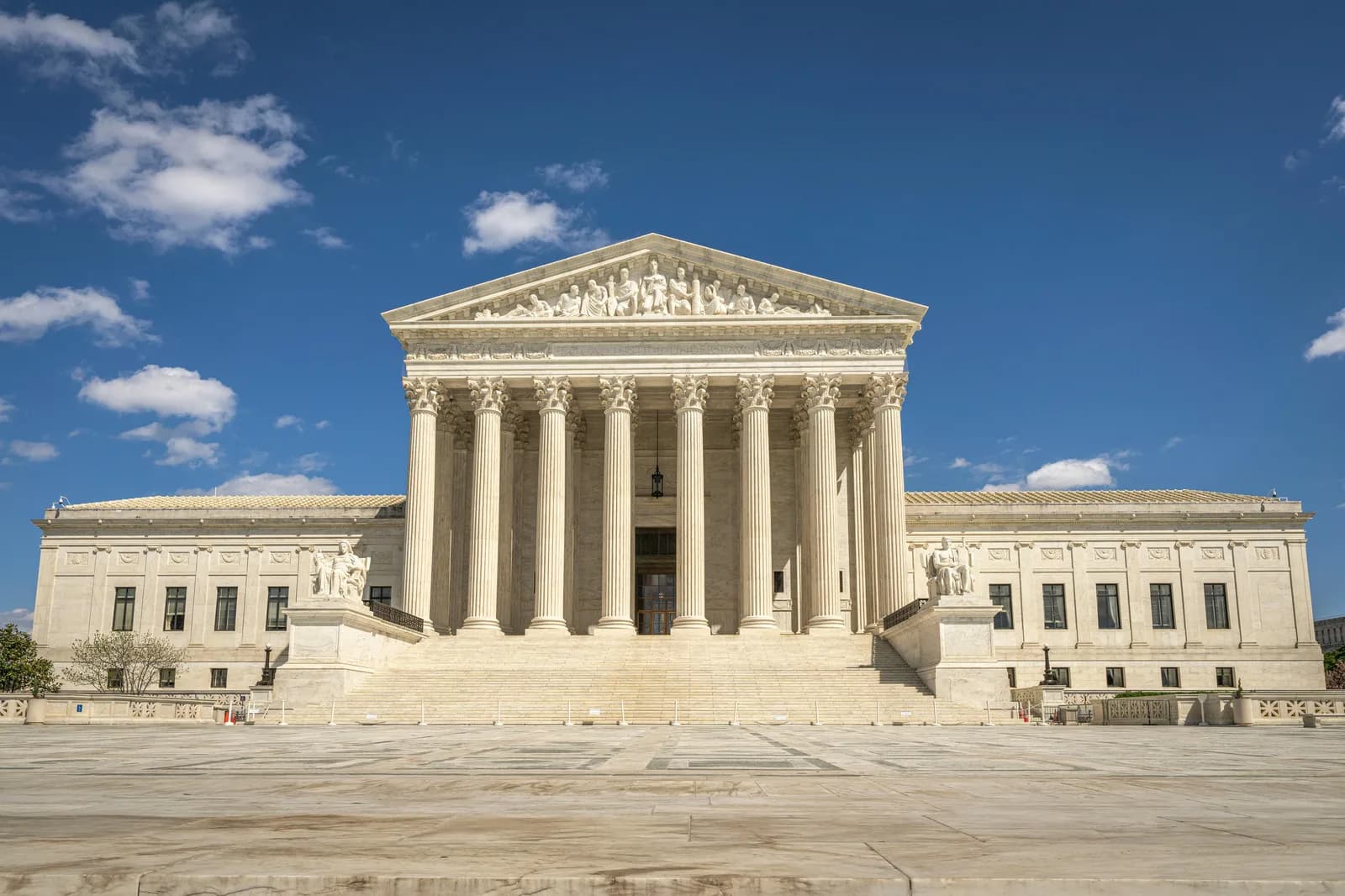
This is the section that matters most, so I'll be blunt. If what you actually need is a record of what was said — a deposition, a hearing, a recorded interview, an examination — turned into an accurate, attestable transcript, do not use a dictation tool, and do not use Whisper. You need a certified court reporter or a certified legal-transcription service. That is a different category of work with different standards: verbatim accuracy, certification, and the kind of accountability a filed record demands. Whisper makes none of those guarantees, and I won't pretend otherwise.
The same goes for any compliance-bound work where the tool itself has to meet a standard — a documented chain of custody, a contractual accuracy threshold, an audit trail for who handled the audio. Whisper is a personal drafting tool. It doesn't carry certifications, and keeping text on your machine is a property of the local mode, not a compliance attestation. If a rule, a court, or a client requires certified output, the honest answer is a certified service. Use the right tool for the standard you're held to.
Where Whisper fits is the writing you'd otherwise type yourself: the memo, the letter, the case note, the first pass of an argument. If your need is "I draft a lot and my hands are tired," it's a good fit. If your need is "I have to produce a transcript someone will rely on as the record," it isn't — and a dictation tool never will be. Knowing which side of that line you're on is the whole decision.
If your interest is less about legal work specifically and more about getting private first drafts down without a server in the loop, the logic in private, offline speech to text is the same, because both come down to keeping the text on the machine where it starts.
So: not certified transcription, not a court record, no compliance promises. A dictation tool for your own drafts, offline if you want, with a word list for the terms you say all day. I drafted most of this guide by talking it out and editing the result, which is exactly the workflow I'm describing — and exactly nothing like producing a deposition transcript, which I'd hire someone qualified to do. Use the right tool for the line you're standing on.
Draft your next memo by voice
Hold the hotkey, talk, release. The first draft lands where your cursor is — in your editor, your email, or your matter notes.
Free local mode for any signed-in account. No card required to start.



