By Denys Medvediev
Streaming and creator tools
Speech to text on Twitch, honestly
Speech to text on Twitch means turning your stream audio into readable text. Either live captions burned into the broadcast for accessibility, or a transcript pulled out of a finished VOD so you can clip shorts and search what you said.
Last updated: May 2026
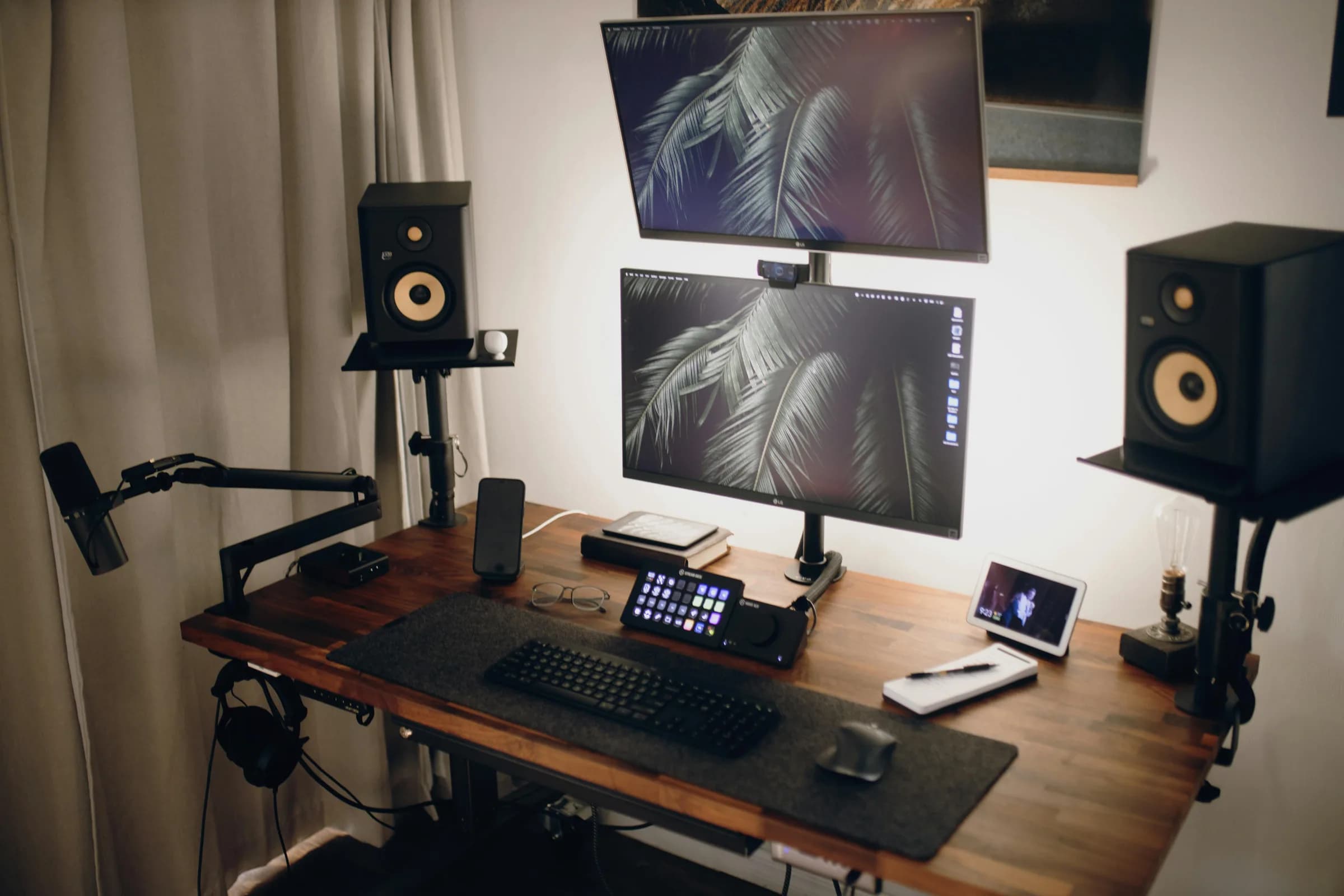
Speech to text on Twitch covers three real workflows. Live captions in OBS run on the Closed Captions plugin and a Twitch dashboard toggle. VOD transcripts come from loopback audio or open-source whisper.cpp. Dictation between scenes runs on a hotkey-driven app like Whisper. Twitch does not generate captions for you; the streamer pushes them in.
Twitch itself does not generate captions for you; the streamer pushes them in.
For everyone still here, there are three real workflows: live captions in OBS for people watching right now, VOD transcripts for finding the boss-fight moment without scrubbing, and dictation between scenes when your hands are full and your mods are asking three questions at once.
The boring truth is the live-captions stack is mostly an OBS plugin and a Twitch settings toggle; the dictation stack is mostly a hotkey. Neither is dramatic. Both save you about an hour a week if you use them. I built one of them, so I will be upfront about which.
Speech-to-text, not text-to-speech — quick disambiguation
Quick disambiguation — STT vs TTS. If you came here for the robotic voice that reads donation messages aloud during your stream, that is text-to-speech, not speech-to-text. Different rabbit hole. Reach for SoundAlerts, which does TTS for Bits, Tips, Channel Points, Subs, Raids, and Hype Trains, with AI voices on Premium. Or use StreamElements, which runs AlertBox TTS with 1000+ voices from Polly, Google, Azure, and TikTok, plus anti-spam moderation. The rest of this article is the other thing: your voice into text.
Speech-to-text is your voice turning into letters on a screen: captions, transcripts, dictated messages. Text-to-speech is the opposite direction: typed messages read aloud by a synthetic voice, usually a donation alert.
Half the Twitch population searching this phrase wants the second one. Google cannot tell which you meant, which is why there is no AI Overview for this query — the intent is too split. The TTS tools linked above handle donation readouts. The rest of this article handles your voice into text.
What streamers actually use speech-to-text for
Four use cases that come up over and over. Most streamers do one. The good ones do all four.
Live captions for accessibility
A line of text at the bottom of the broadcast for viewers who are deaf, hard of hearing, watching with the sound off at work, or non-native speakers reading along. Twitch shows a CC button on streams that already have captions in the RTMP feed and nothing on streams that do not. So this is on you.
VOD transcripts for shorts and SEO
You streamed for three hours, the boss fight happened around the two-hour mark, and you want a 60-second TikTok of it with on-screen text. The transcript means you ctrl-F the moment instead of scrubbing.
Dictation between scenes
The part nobody talks about and the part I would pay for. Mid-stream, hands on the keyboard, your mod pings you in Discord asking if you want to extend sub-only mode for the raid. You can either fumble through alt-tabbing while the boss fight goes sideways, or press a key, say the sentence, and let it land in Discord at 145 words per minute.
The default Whisper hotkey is Ctrl+Space on Windows and Linux, and the modifier-only push-to-talk shortcut command+option on macOS. Both work everywhere text input works: chat, Discord, OBS scene-name fields, an apology DM at 1am to the viewer whose name you mispronounced. Two streamer-specific gotchas: if your scene-switch hotkey is Ctrl+Space, OBS will steal it before Whisper hears it. Remap one. And some fullscreen games (anything Unreal-engine in exclusive fullscreen) swallow the global hotkey; run the game in borderless windowed mode and the issue evaporates.
Post-stream notes
A three-line memo to future-you about what worked, what flopped, and which clip is worth editing. Most streamers skip this. Most also wonder why their channel does not grow.
The first one is OBS. The second is a transcription tool. The third is a dictation app like ours. The fourth is whichever combination gets you to bed before two in the morning.
Live captions in OBS: the 10-minute setup
Honest confession first. The standard live-caption setup for Twitch is not powered by Whisper. It is the OBS Closed Captions plugin by ratwithacompiler, which uses Google Speech Recognition as its backend by default. Version 0.33 shipped October 15, 2025, has 1.3k GitHub stars, and runs on Windows, macOS, and Linux. It does not work with Streamlabs OBS because SLOBS does not accept third-party plugins.
Here is the 10-minute setup. None of these steps require code.
Sources
- Game Capture
- Webcam
- Closed Captions
Tools
- Closed Captions
OBS Sources panel with a Closed Captions track wired to the broadcast preview.
- Install OBS Studio if you do not have it. The plugin is OBS-only, not SLOBS.
- Download the plugin from the ratwithacompiler/OBS-captions-plugin GitHub releases page. Pick the installer for your OS, close OBS first, run it.
- Open OBS, go to Tools → Closed Captions. Pick your microphone source, typically Mic/Aux or whatever you renamed it to.
- Set the source language. Default is English. The plugin streams to Google's free endpoint; accuracy is fine for clean mic audio and gets choppy with heavy background music.
- Enable captions in your Twitch dashboard. Stream Manager → Settings → Stream → Closed Captions toggle. Twitch's Guide to Closed Captions covers the broadcaster side if you need it.
- Test on a private stream. Set the broadcast to unlisted, talk for 30 seconds, check the CC button appears.
Done. The trade-off: the audio leaves your machine and goes to Google. If that breaks your contract with your audience, skip ahead to cloud-vs-local. Whisper itself does not fit in this line; we are the dictation-and-VOD layer beside it. OBS handles captions, Whisper handles the hotkey-driven text. Two tools, two jobs.
Transcribing VODs and clips for shorts (the real time-saver)
App
- Settings
- History
- FAQ
[00:14:02] Alright chat, let's queue up another one before we call it.
[01:47:33] Okay the boss has phase two, watch for the AOE on the floor.
[02:51:09] That was a clutch. We're clipping that.
Whisper's History view after a long VOD transcription, with timestamps and an export action.
A three-hour stream is a three-hour search problem. You know the funny moment happened somewhere around the second sub-train, you just cannot find it without scrubbing. A transcript fixes that in ten seconds.
Second honest confession. Whisper by Remskill does not accept video or audio file uploads in the desktop app today. Transcription is hotkey-driven on the live microphone, with no drag-and-drop and no "open VOD" button. If your workflow is drop-an-MP4-get-a-transcript, we are not the tool. Yet. Two honest options:
Option A — loopback your VOD through the mic. Use VB-CABLE on Windows or BlackHole on Mac to route your VOD's audio back into Whisper as if it were a microphone, then hold the hotkey while it plays. Hands-free but you sit through playback. Pick large-v3 for multilingual streams or distil-large-v3 (Turbo) for English: 6× faster than large-v3 with 99% of the accuracy.
Option B — use open-source whisper.cpp or faster-whisper. Both accept .mp4 and .wav files at the command line. Slower setup, but they batch jobs while you sleep. This is the legitimate "skip Whisper for this" move: whisper.cpp and openai/whisper are free and well-maintained.
The real win is downstream. Drop the transcript into ChatGPT and ask for the three best clip-worthy moments, paste it into your video editor as a captions track, and use it as the YouTube description with timestamps already lined up.
Cloud vs local: where your stream audio goes
Stream audio is sensitive. Even if you broadcast it live to thousands of people, the gap between "we know we are recording" and "an unrelated US company has a copy of my off-stream conversation with a mod" is real.
Whisper offers three transcription paths and lets you pick. There is no default.
Model
OpenAI API key
Model
Cloud vs local comparison panel — model picker, where your audio goes, and the hardware acceleration toggle.
Cloud (OpenAI, BYOK)
Best accuracy, web search built in, AI text enhancement via GPT-5. Transcription runs gpt-4o-mini-transcribe by default or gpt-4o-transcribe for higher accuracy. You bring your own OpenAI key and pay OpenAI per minute of audio. The audio leaves your device.
Local — NVIDIA Parakeet
Fast local option. ~600 MB on disk, 5–10× faster than Whisper on CPU, English plus 24 European languages with no translate-to-English. No Asian languages: Japanese, Korean, or Chinese streamers cannot use Parakeet.
Local — Whisper
Slower than Parakeet, ships in eight model sizes from Base (~140 MB) through Large v3 (~3 GB). Multilingual variants cover 99 languages and support translate-to-English; the .en builds are English-only with the language selector locked.
If you stream from a desktop with a recent CPU or an M-series Mac, try local mode first. Cloud is the escape hatch when you need a language Parakeet does not cover or you want OpenAI's web search built into the same hotkey. Your laptop already has a microphone and a CPU; it does not need a server in the loop for one sentence of mod-note.
I once tried to caption my own coding stream and the model autocorrected every git commit into the wrong genre of gardening tool. That was the moment I stopped using live captions for clips and started piping transcripts through a manual proofreading pass. The dictation-between-scenes flow has held up across hundreds of mod notes without a meaningful failure. Different jobs, different reliability budgets.
When to skip Whisper for this
The honest matrix:
- You only want live closed captions burned into the broadcast. Use the OBS Closed Captions plugin and call it done. Whisper is not a live-caption engine for OBS; we are the dictation tool beside it.
- You want a robotic voice reading donation messages. Use SoundAlerts or StreamElements; that is TTS, the opposite direction.
- You need batch transcription of years of VOD files. Open-source whisper.cpp or faster-whisper accept files directly and cost nothing. We do not have a file-upload UI yet.
- You stream from an Intel Mac. Whisper by Remskill ships for Windows x86_64 and macOS Apple Silicon only; Intel Mac is not supported. Cloud-only services work fine in a browser regardless.
If your use case is dictation between scenes, VOD transcripts pulled via loopback, or post-stream notes, that is our wheelhouse. Anywhere else on this list, use what fits.
Most of the speech-to-text setup for Twitch is plumbing: an OBS plugin you install once, a loopback driver you forget exists, a hotkey you bind and never rebind. The work happens on the other side. When are captions worth the audio leaving your machine? Which 60-second clip from a three-hour stream is worth the extraction? Type or talk when the mods are pinging? Pick the tool that does not get in your way at hour three of a stream, because that is when it matters.
Want to try the dictation-between-scenes part?
Download Whisper, bind your hotkey, and the next mod-note lands at 145 words a minute instead of 40.
Otherwise the OBS plugin and StreamElements both cost nothing — go set those up. I will not be offended.