 By Denys Medvediev
Comparison
A Rev alternative, honestly
"Rev alternative" is really two questions: replace the file-upload service, or skip the upload entirely and dictate live. Here's which tool answers which, and the one job where Rev still wins.
Last updated: June 2026
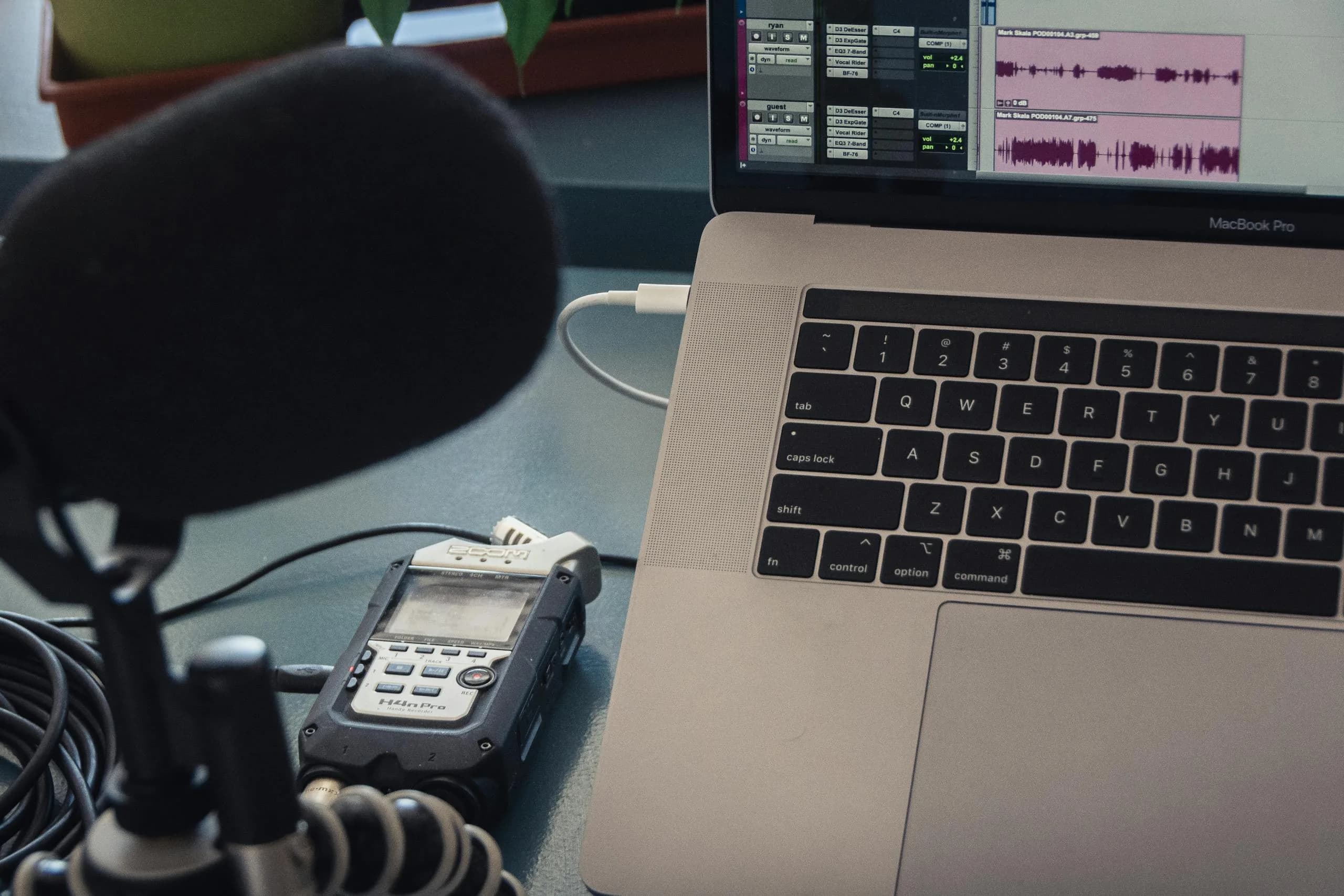
A Rev alternative is any transcription tool used instead of Rev.com, usually to dodge per-minute charges, subscriptions, or the privacy cost of uploading audio to a vendor's cloud. The right pick depends on the job: file-upload services like Sonix replace Rev directly, while hotkey dictation apps like Whisper by Remskill turn speech into text live and offline.
Last quarter a team I worked with discovered their internal dictation prototype had run up a five-figure cloud bill, most of it from transcribing the same standup recordings four times. People go looking for a Rev alternative for the same reason: the meter is always running. Rev's transcription page lists a per-minute price for human transcription and a lower per-minute price for AI. That adds up fast, and it is the boring truth behind most "cheaper than Rev" searches.
Here is the part most roundups skip. "Rev alternative" hides two different needs, and picking the wrong category is how you end up paying for software you don't want. The first need is replacing Rev's core service: you have a recorded file, you want a transcript back. The second is the one almost nobody names out loud: you don't want to upload files at all. You want to talk and have text appear where your cursor is. By the end of this piece you will know which of those two you are asking, which tool answers it, and the one job where Rev still beats every alternative on this page. I read our support email for a living (usually by dictating the replies), and most cost complaints that land there start the same way: someone picked a per-minute service for a job that never needed one.
What Rev is, and why people leave it
Rev is a file-upload transcription service. You send it an audio or video file; it sends back a transcript. It runs two product lines: expert human transcription advertised at 99%+ accuracy, and AI transcription advertised at 96%+ accuracy. It also does captions in English or Spanish, global subtitles in 17 languages, and court-reporting services.
The cost model is where people start shopping. Human transcription is billed per minute with a turnaround of 12 hours or less; AI transcription is billed per minute at a lower rate, delivered in five minutes or less, in 37 languages. Rev also sells subscriptions: a free tier capped at 45 AI minutes a month, English only, then paid seats that climb into the tens of dollars per month.
None of that is bad. Rev is good at what it does. People leave for three reasons: the per-minute math on long files, the subscription creep once you go past the free 45 minutes, and the quiet discomfort of uploading a deposition, a doctor's note, or a board recording to someone else's server. The first two are about money. The third is about privacy, and it is the one that sends people looking for an offline option.
The short answer: do you upload files, or dictate live?

If you have recorded files and want them transcribed, the closest Rev replacements are the other file-upload services: Sonix bills a flat rate per hour of uploaded audio, Happy Scribe runs on monthly tiers with optional human proofreading, and Maestra and Trint cover 125+ and 40+ transcription languages respectively. Otter.ai is the pick if your files are meetings: it joins Zoom, Teams, and Google Meet to write notes for you.
A large share of "Rev alternative" searches aren't about files at all. They come from people who record audio only because they think that's the only way to get a transcript. If what you want is to draft an email, a brief, or a doc by speaking instead of typing, you don't need an upload service. You need dictation. That is a different category, and it is the one Rev doesn't compete in.
Whisper by Remskill sits in that second category. You press a hotkey, you talk, and the text lands at your cursor in whatever app you are in. No file, no upload, no meter. For recorded files, it transcribes them on your own machine instead of sending them anywhere.
How I picked these tools
I did not lab-test seven services side by side, and I won't pretend I did. A maker reviewing his own product who claims a sterile head-to-head benchmark is the maker you trust least. So here is the honest version of my method: I weighed each tool against the four things that actually decide a Rev switch, scored them from documented capabilities and published specs, and added the one thing I can speak to first-hand — daily use of our own app. Those four criteria, in the order they tend to break a decision:
- Category fit. Does the tool do what you came to do? A file-upload service and a dictation app are not interchangeable, and half of the bad "Rev alternative" purchases ignore this.
- Cost model, not headline price. Per-minute, flat hourly, monthly tier, or free-and-local each behaves differently as your volume grows. The shape of the bill matters more than the first number on the page.
- Privacy posture. Does your audio leave your machine? For a deposition or a salary spreadsheet, that is the whole question.
- Language coverage, qualified by what each tool documents, because a blanket "99 languages" is true of exactly one category and false of the rest.
The Whisper recommendation rests on first-hand use, not a benchmark I can't show you. Every competitor number in the table below is a vendor-published spec, cited to the source. Where a vendor hides its pricing (Trint does), I say so instead of inventing a figure. That is the line: capability claims about rivals come from their own pages; the claim that Whisper is worth trying for live dictation comes from me using it every day.
Rev alternatives at a glance
Verifiable columns only. No accuracy scores I can't reproduce, no speed claims I didn't measure. Cost is described by its shape, not a dollar amount, because prices drift and the body of this article doesn't quote them. The "best for" column is the one most readers should read first.
| Tool | Platform | Local or cloud | Works offline | Cost model | Languages | Best for |
|---|---|---|---|---|---|---|
| Rev | Web app + mobile | Cloud | No | Per-minute human or AI | 37 AI | Certified, court-ready verbatim |
| Whisper by Remskill | Windows + macOS desktop | Local (cloud optional) | Yes | Free local tier; Pro adds cloud | 99 multilingual Whisper; 25 Parakeet | Live dictation, private offline transcribe |
| Otter.ai | Web + mobile | Cloud | No | Free tier + monthly seats | 6 | Live meeting capture |
| Sonix | Web app | Cloud | No | Flat hourly + monthly tiers | 54+ | Files in, transcripts out |
| Happy Scribe | Web app | Cloud | No | Monthly tiers + per-minute human | 150+ AI | Subtitles for video |
| Maestra | Web app | Cloud | No | Monthly tiers | 125+ | Transcription plus dubbing |
The offline column is the one most comparison tables leave out, and it is the deciding factor for anyone handling sensitive audio. Every cloud tool in that list uploads your recording to its servers. Whisper's local mode never does.
Whisper by Remskill: dictate into any app, transcribe files offline
Whisper by Remskill is not a file-upload service, and pretending otherwise would waste your time. It is a dictation app. You hold a hotkey, Ctrl+Space on Windows or Command+Option on a Mac, then speak, release, and the transcribed text pastes at your cursor in any application. Say "Hey whisper" first and it runs the text through AI cleanup before pasting. I shipped the first version of that hotkey with a debounce so aggressive it dropped every third keypress. Took me a week to notice. I have a master's degree.
The reason it works as a Rev alternative for so many people is the offline local mode. After a one-time model download, transcription runs on your machine with zero network activity. There is no per-minute charge because there is no server doing the work. Two local engines ship, both pure-Rust with no Python sidecar: OpenAI Whisper, with eight models covering 99 languages on the multilingual variants and translate-to-English; and NVIDIA Parakeet, a ~600 MB model covering 25 languages and running 5–10× faster than Whisper on a CPU. English-only Whisper builds exist too, for the smallest footprint.
For everything the local engines can't do, there is a cloud mode: bring your own OpenAI key, transcribe with gpt-4o-mini-transcribe, enhance with the GPT-5 family, even run a voice web search. The whole local pipeline is free for any signed-in user, with no payment method at signup; the cloud surface is the paid Pro tier. Pricing lives on the pricing page, and I won't quote numbers at you here.
Here is the opinion I'll spend my one allotment on: cloud-only dictation is a privacy disaster waiting to be transcribed. Your boss's salary spreadsheet, the email to your kid's school, the legal brief you're drafting: none of it should land in a vendor's logs because you wanted to type with your voice. The five-figure cloud bill I mentioned at the top wasn't just a money story; the same recordings sat on a third-party server the whole quarter. Your laptop already has a microphone and a CPU. For one paragraph, it doesn't need a server in the loop. If you want the longer version of this argument, we wrote a whole piece on offline speech to text.
The runner-up and the other tools worth knowing
No single tool wins every job. For the file-upload path, Sonix is the runner-up I'd name: it does one thing, takes a file and returns a transcript, and the flat hourly rate stays legible as your volume climbs. Here is the honest one-line read on the rest of the field, so you can self-select before you sign up for anything.
- Sonix: the runner-up for files-in, transcripts-out. Clean file-upload transcription on a flat hourly rate, 54+ languages. The most direct Rev replacement if you just want transcripts back.
- Otter.ai: built for meetings. It joins Zoom, Teams, and Google Meet and writes the notes; the free tier covers 300 minutes a month. Wrong tool for live dictation, right tool for "I have a call to capture." We compared it head to head in our Otter.ai alternative piece.
- Happy Scribe: file upload plus subtitles, AI in 150+ languages, optional human proofreading. Strong for video creators who need captions.
- Maestra: transcription, subtitles, and voiceover dubbing in 125+ languages. Broad feature set if you also need dubbing.
- Trint: AI transcription with a content editor, 40+ languages for transcription and 70+ for translation. Pricing isn't published on its marketing pages, so check inside the app before committing.
- Descript: an AI video and podcast editor with transcription built in, billed by "media hours" instead of per minute. It's an editor first, transcription second. We broke down where it fits in our transcription software guide.
When Rev is the better choice
I'd send you back to Rev for a few jobs, and I mean that. The whole privacy-and-cost case for a local tool collapses the moment a transcript has to be defensible to someone other than you. A court reporter's certification, a notarized statement, a regulator's accessibility audit: these need a human who will stand behind the words, not a model that runs on your laptop and answers to nobody.
Rev's expert human transcription is built for that audience. It advertises 99%+ accuracy with a 12-hour turnaround and, on its court-reporting line, the certified verbatim output that legal work demands. Whisper does not employ human transcriptionists and does not issue certified transcripts. That is not the category it plays in, and I would not stretch the truth to win a comparison.
So the rule of thumb is simple. If a judge, a regulator, or a deaf-access compliance requirement is the audience for your transcript, pay for Rev's human service and let a person verify it. The same logic covers verbatim depositions, sworn statements, and any document where "the AI was 96% accurate" is an answer that gets you in trouble. Using a free local model for a deposition to save money is the kind of penny-wise decision that gets expensive in court. For everything that lands on your own screen and stays there, that ceremony is overhead you don't need.
One more case keeps Rev in the mix: short, infrequent files where a few minutes of AI transcription costs less than the effort of installing anything. Rev's free tier handles 45 AI minutes a month, English only. If that covers your whole use, a desktop install is solving a problem you don't have.
Pricing: what shapes the bill
The cost split is the whole reason this keyword exists, so it is worth understanding the shapes rather than the figures. Rev charges per minute, which is predictable on short clips and brutal on long ones: a two-hour recording is the same per-minute rate applied 120 times over, before you've subscribed to anything. The other file-upload services trade per-minute for monthly tiers, with Sonix on a flat hourly rate instead. Otter gives you a free monthly minute budget before its paid seats kick in.
Whisper's local pipeline has no per-minute meter at all, because the transcription happens on your hardware. The paid Pro tier only adds the cloud surface. I'm not quoting dollar amounts here on purpose, because prices change and a stale number in a blog post is worse than no number; the current figures for every Whisper plan live on the pricing page.
The honest summary is that "Rev alternative" was never one question. It was two questions sharing a search box: replace the service, or skip the upload entirely. Sort out which one you're asking, and the choice gets a lot quieter. My younger daughter, who is seven, dictated a 90-word email to her grandmother last week without once asking what a transcript was, which tells you how little the upload step matters when the text just appears where you're looking.
Want to skip the upload entirely?
Download Whisper, press the hotkey, and see whether you ever needed to upload a file in the first place. The local pipeline is free, no card at signup.
Free local transcription and dictation for every signed-in user. Pro adds the OpenAI cloud surface on a separate trial.



